⛰ Desktop app · Windows & macOS

One place for your team's environment knowledge.

Cairn keeps every URL, server, connection string, and SSH target for your dev, staging, and prod environments in one structured desktop app — so a new hire is productive in hours, not days. Secrets stay in the manager you already trust; Cairn only holds the reference.

$19 one-time · 1 year of free updates · 14-day free trial, no card. Your environment data lives in plain project.json files you own — no account, no cloud sync.

🔒 No secrets at rest — references only 🖥 Native Windows & macOS 📴 No account — your data stays local 🧩 MCP server built in for AI tools 📄 Plain JSON you can diff & back up

Stop scavenger-hunting for environment info

The details scattered across READMEs, wikis, Slack threads, and three people's laptops — gathered into one app your whole team can read.

🗂

Single source of truth

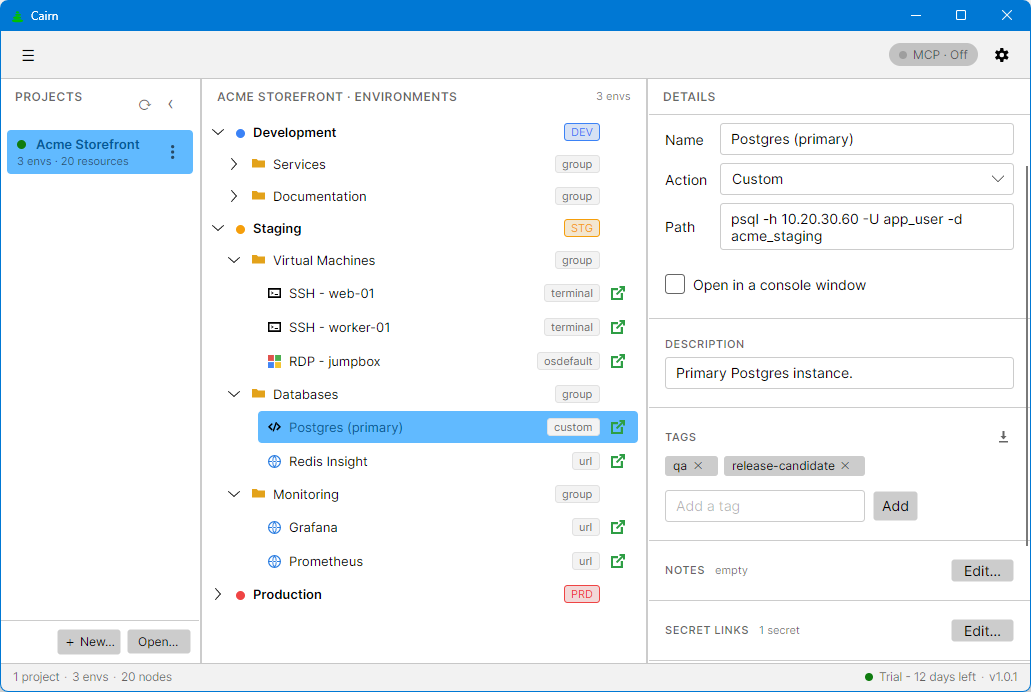
Environments, servers, URLs, databases, and runbook notes in one tree per project — dev, staging, prod side by side.

🔐

Secrets by reference

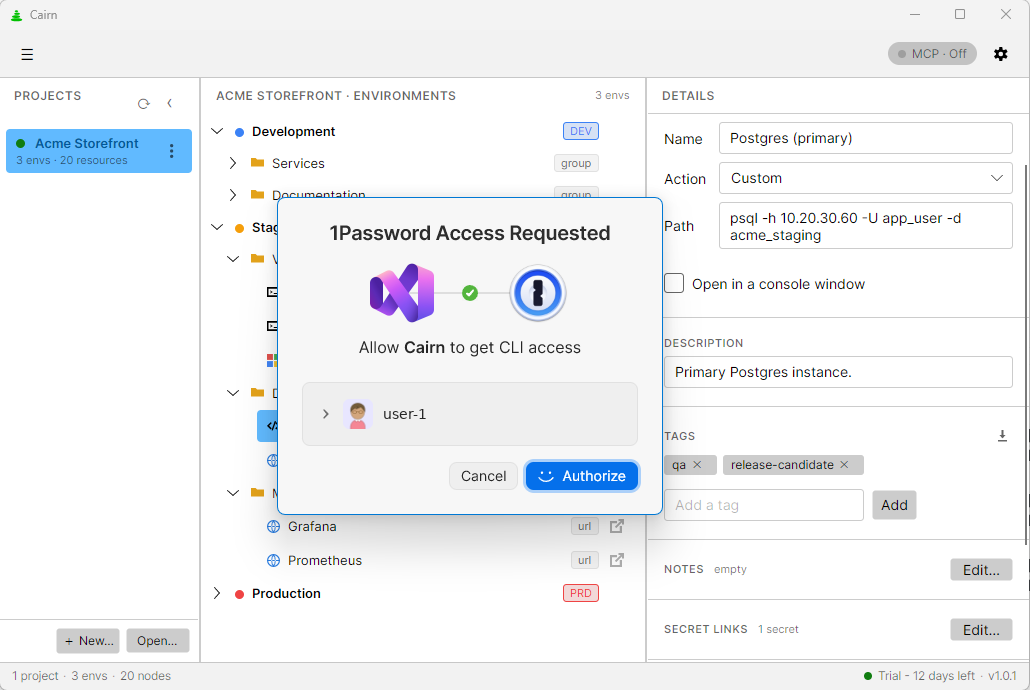
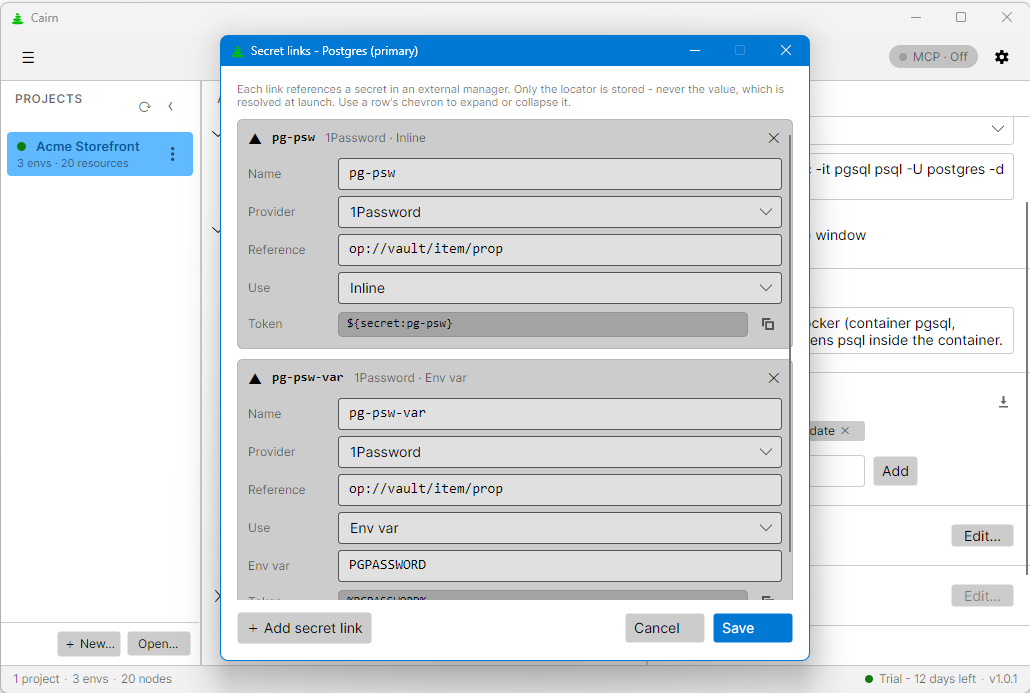
Cairn never stores a secret value. It holds a secret link into 1Password or Windows Credential Manager, resolved only at launch.

One-click connect

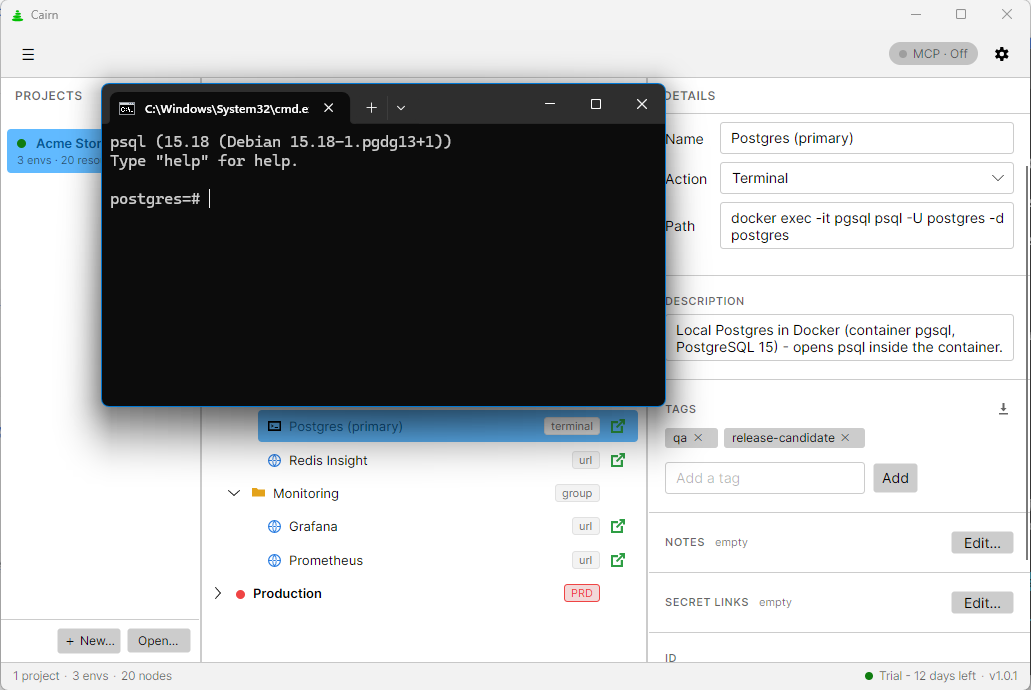
Hit Connect on any node to open a URL, SSH into a server, or run a command — the right key, user, and host wired in for you.

🚀

Onboard in hours

New hires browse every environment read-only and follow a step-through checklist instead of pinging the team all week.

🤝

Share a single file

A project is one project.json. Send it, back it up, diff it in git — no server, no sync account, no lock-in.

🧩

AI-ready (MCP)

A built-in loopback MCP server lets Claude and other tools read and edit your projects through a safe, local API.
How it works

From install to a connected terminal in four steps.

1

Create a project

One project per product or client. Add your environments and tiers.

2

Add resources

URLs, servers, databases, and commands — nested into groups any depth you like.

3

Link secrets

Point each credential at your external manager. Nothing sensitive is written to disk.

4

Connect

Hit Connect to open, SSH, or run. Share the file so the team has the same map.

Your data lives in project.json on your machine and stores no secret material, ever — day-to-day use is offline; only starting a trial and activating a license need a one-time online check.

Simple, honest pricing

One-time license per developer. Buy through Paddle — taxes and receipts handled for you, anywhere in the world.

Free trial
$0
14 days, full features
  • Every feature unlocked
  • Windows & macOS builds
  • No account, no card
Download trial

Need team or volume licensing? Get in touch — VAT/sales tax is handled by Paddle as Merchant of Record.

Frequently asked questions

Still unsure? Ask support — we answer fast.

Does Cairn store my passwords or secrets?
No. Cairn stores environment metadata only — never a secret value. Each credential is a secret link (a locator) into an external manager like 1Password or Windows Credential Manager, resolved at launch and never written to disk. Sharing a project file leaks no secrets.
Which platforms are supported?
Windows 10 (1809+) and Windows 11, plus macOS 13 Ventura and newer — both Intel and Apple Silicon / ARM64. No Linux desktop build yet, and no mobile clients.
How does licensing work?
A one-time purchase through Paddle. After checkout you'll get a license key by email (issued via Keygen.sh) that unlocks the app. Your purchase includes 1 year of free updates, and the app keeps working afterward.
Can I use it offline?
Day-to-day, yes — your data is plain project.json files on your own machine, with no account and no cloud sync, so normal use needs no network. The one exception is licensing: starting your trial and activating a purchased key each need a quick one-time online check. After activation the app keeps working offline (it only re-verifies your license periodically in the background).
What is the built-in MCP server?
A loopback-only (127.0.0.1) Model Context Protocol server that lets AI tools such as Claude read and edit your projects through a safe local API. It's off by default and you control the port — nothing is exposed to the network.
How do I get support or request a feature?
Support tickets go through our help portal. Feature ideas and roadmap voting live on our public feedback board.

Give your team one map for every environment.

Download the trial, or buy a license and stop the onboarding scavenger hunt today.

Download Cairn

14-day free trial — no account, no card. One build per OS; your license unlocks it.